
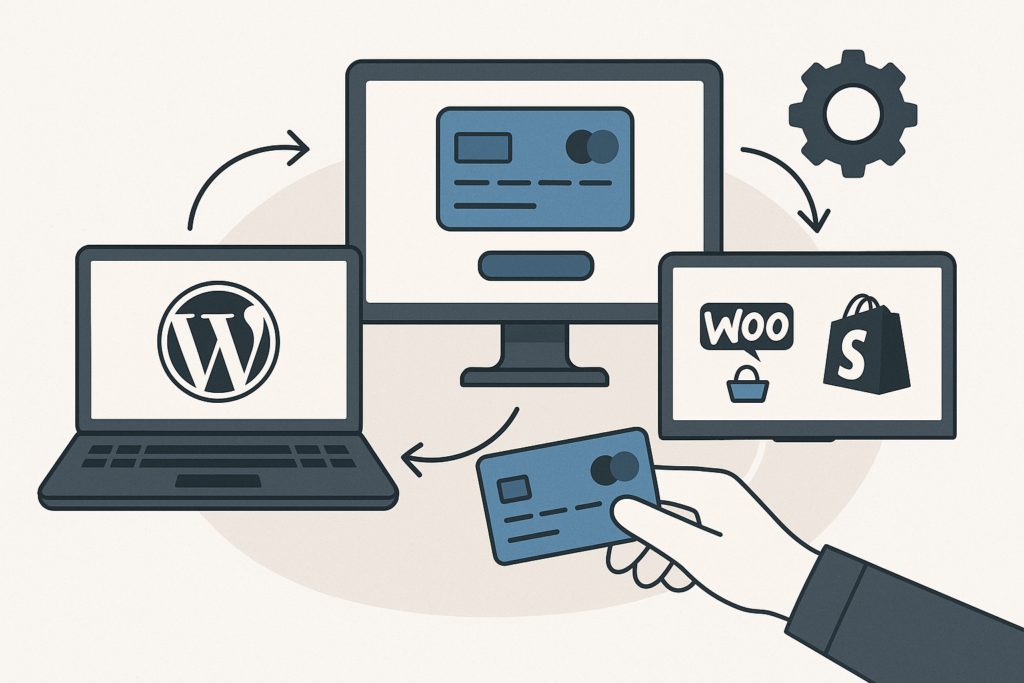
A smooth checkout experience can make the difference between a completed order and an abandoned cart. Payment gateway integration connects your website or online store to a payment provider so customers can pay securely by card, digital wallet, bank transfer, or other supported methods.
For businesses using WordPress, WooCommerce, Shopify, or a custom-built website, choosing and configuring the right payment gateway is an important part of building a reliable online sales system. The goal is not simply to accept payments. Your gateway should also support your customers, business model, currency requirements, security standards, and plans for growth.
What Is Payment Gateway Integration?
Payment gateway integration is the process of connecting a website or ecommerce platform with a payment service that authorizes and processes transactions. When a customer completes checkout, the gateway securely transfers payment information, communicates with the customer’s bank or card network, and returns an approval or decline response.
A typical transaction includes several steps:
- The customer enters payment details or selects a digital wallet.
- The gateway encrypts and securely sends the transaction data.
- The payment provider requests authorization from the issuing bank.
- The result is returned to the website or ecommerce platform.
- The order status and payment record are updated automatically.
Depending on the provider and integration method, customers may complete payment on your website, in a secure hosted payment window, or through a mobile wallet interface.
Why Payment Gateway Integration Matters
Payment processing affects customer trust, conversion rates, order management, and cash flow. A gateway that is difficult to use, slow to load, or limited to one payment method can create unnecessary friction at checkout.
Effective integration can help your business:
- Offer familiar payment methods to local and international customers.
- Reduce manual payment verification and order updates.
- Improve checkout convenience on mobile and desktop devices.
- Support refunds, recurring payments, and transaction records.
- Provide a more consistent customer experience across your store.
Payment integration should be considered alongside the rest of your ecommerce setup. For example, your checkout design, product configuration, shipping rules, tax settings, and customer emails all influence how smoothly an order moves from browsing to completion.
Popular Payment Gateway Options
The best gateway depends on your location, audience, product type, and technical requirements. Common options include card processors, digital wallet providers, bank payment services, and region-specific gateways.
Card payments
Credit and debit cards remain essential for many online businesses. A suitable provider may support card tokenization, saved payment methods, fraud screening, refunds, and 3D Secure authentication.
Digital wallets
Digital wallets can make checkout faster because customers may not need to enter their full card details. Depending on the market, customers may expect options such as Apple Pay, Google Pay, or other widely used wallet services.
Alternative and local payment methods
Customers in different regions may prefer bank transfers, buy now, pay later services, cash-based methods, or local wallets. Offering relevant choices can be useful, but adding too many options may make the checkout interface confusing. Select methods based on real customer demand.
Recurring payment solutions
Subscription businesses need more than one-time payment processing. They may require automated recurring charges, failed-payment retries, subscription changes, cancellation handling, and customer billing management. Confirm that the gateway and ecommerce platform support these functions before implementation.
Payment Gateway Integration for WooCommerce
WooCommerce supports payment processing through extensions and provider-specific integrations. In many cases, setup involves installing an official or trusted gateway extension, entering API credentials, selecting payment methods, and configuring webhooks or notification settings.
Before enabling the gateway on a live store, test the full order journey. Check successful transactions, declined payments, refunds, cancelled checkouts, emails, inventory updates, and order status changes. Test from a mobile device as well as a desktop browser.
It is also important to review compatibility with your WooCommerce theme, checkout customization, subscriptions, memberships, bookings, and other extensions. If your store has complex requirements, consider connecting this work with broader WooCommerce development services so the payment experience fits the rest of your store.
Payment Gateway Integration for Shopify
Shopify provides built-in payment options in supported regions and also allows merchants to use third-party providers. The available choices may depend on your country, business category, currency, and Shopify plan.
Shopify merchants should review transaction fees, payout schedules, supported payment methods, fraud tools, and checkout limitations before choosing a provider. If you use apps for subscriptions, upselling, or international selling, verify that the payment method works correctly with those apps.
Because Shopify manages much of the platform infrastructure, the main focus is usually provider selection, account verification, payment settings, testing, and optimizing the customer journey within Shopify’s checkout framework.
Custom Payment Gateway Integration
A custom website may require a direct API integration rather than a ready-made plugin. This approach can support specialized workflows, marketplaces, custom billing logic, or connections with accounting, inventory, and customer relationship management systems.
Custom development should include secure credential management, server-side payment verification, webhook handling, idempotency controls, error logging, and clear fallback behavior. A transaction should not be marked as paid solely because a customer reached a confirmation page. The server should verify the payment with the provider or process a trusted webhook event.
For businesses planning a tailored ecommerce workflow, custom web development can be a useful internal link opportunity here. A development team can assess your business rules and design an integration that is maintainable rather than relying on fragile workarounds.
Security and Compliance Considerations
Payment security should be treated as a core project requirement. Use official integrations and keep your website, plugins, apps, libraries, and server environment updated. Never store raw card details unless your business has the appropriate systems, controls, and compliance processes.
Important safeguards include:
- Use HTTPS across the entire website.
- Protect API keys and secret credentials on the server.
- Use tokenization where supported by the payment provider.
- Enable multi-factor authentication for payment and store accounts.
- Limit administrator access according to staff responsibilities.
- Monitor unusual transaction patterns and repeated payment failures.
- Review the provider’s fraud prevention and authentication features.
Payment Card Industry requirements can vary according to how your business handles card data. Your payment provider and compliance adviser can help clarify the obligations that apply to your setup.
Common Integration Problems
Payment issues often come from configuration conflicts rather than the gateway itself. Common problems include incorrect API credentials, an unverified merchant account, mismatched currencies, missing webhook events, outdated extensions, and tax or shipping rules that prevent order completion.
Customers may also see an error when a payment is approved by the bank but the website does not receive the confirmation correctly. Proper webhook configuration and reconciliation procedures can reduce this risk.
Another frequent problem is poor mobile usability. Small fields, unexpected redirects, slow checkout pages, and unclear error messages can discourage customers. Test the process with realistic devices, browsers, payment methods, and network conditions.
Best Practices for a Successful Integration
- Choose based on customer needs: Review the countries, currencies, devices, and payment methods used by your target audience.
- Compare the total cost: Consider transaction fees, currency conversion charges, refunds, chargebacks, payout timing, and monthly fees.
- Keep checkout focused: Ask only for information needed to process and fulfill the order.
- Show clear payment errors: Explain what went wrong and provide a helpful next step without exposing sensitive information.
- Test before launch: Use sandbox credentials to test successful, failed, cancelled, refunded, and disputed transactions.
- Plan for reconciliation: Make sure payment records, order statuses, refunds, and payouts can be matched in your administration system.
- Monitor after launch: Review failed payments, conversion data, support requests, and gateway notifications regularly.
How Sarrloop Can Help
Payment gateway integration should support your entire digital sales process, from product selection to order confirmation and fulfillment. Sarrloop can help businesses plan and implement payment solutions for WordPress, WooCommerce, Shopify, and custom web applications.
Whether you need a standard gateway setup, a customized checkout, recurring billing, payment troubleshooting, or integration with other business systems, the right technical approach can make your store easier to manage and more convenient for customers.
Ready to improve your online checkout? Contact Sarrloop to discuss your payment gateway integration requirements and identify a practical solution for your website or ecommerce store.
Related: Custom WooCommerce Development: Build a Store That Fits Your Business
Related: API Integration Services for WordPress, WooCommerce, Shopify, and Custom Websites
Related: WordPress Website Maintenance: A Practical Guide to Keeping Your Site Secure and Fast
Need help with payment gateway integration?
Sarrloop works with businesses in Texas, Nevada, across the USA and in Bangladesh. See our WordPress & WooCommerce Development service or get a free quote within 24 hours.