
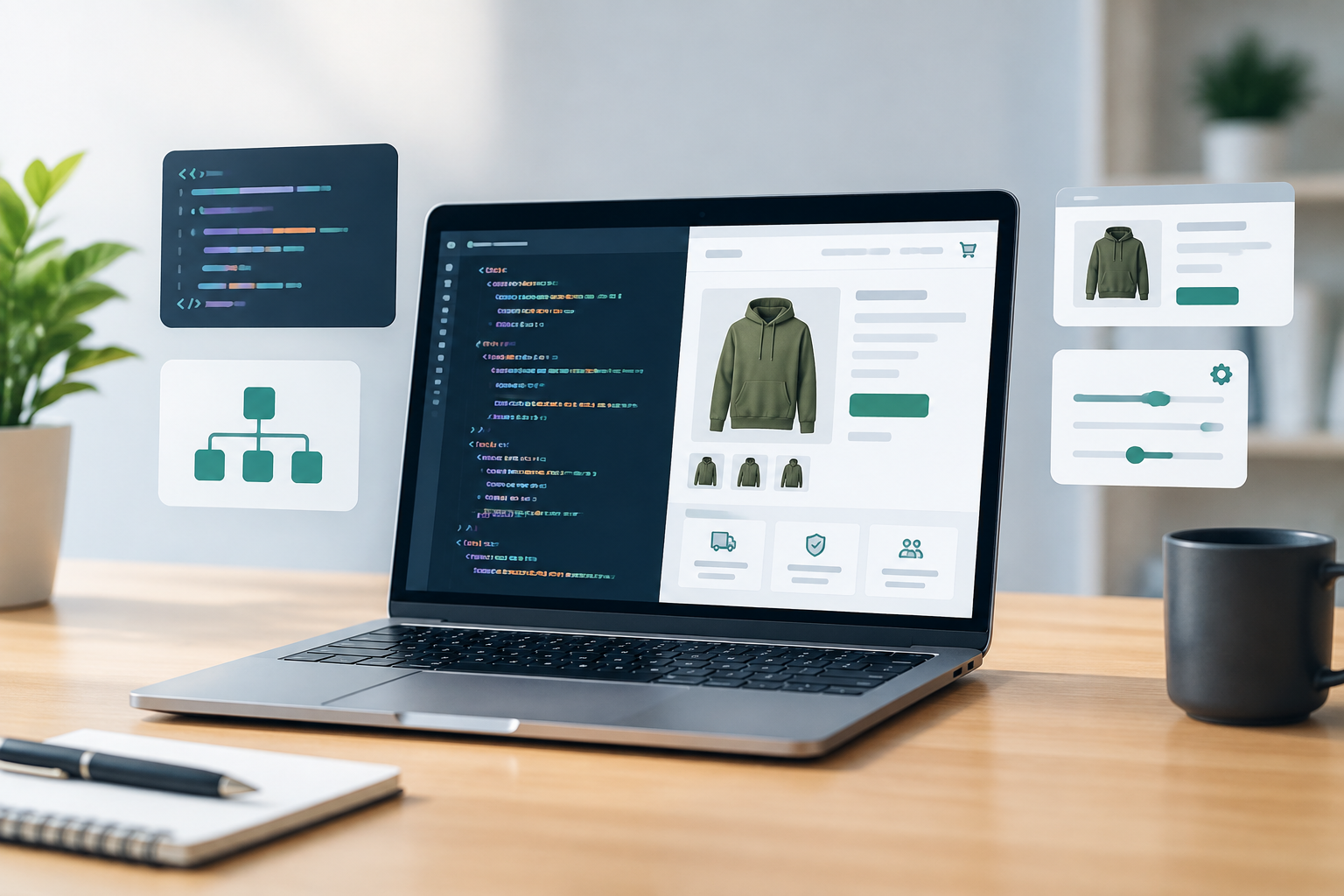
Shopify Liquid Customization: A Practical Guide for Better Store Experiences

Shopify Liquid customization gives store owners more control over how their storefront looks, behaves, and presents products. While Shopify themes provide a strong foundation, many businesses need experiences that go beyond standard settings. Liquid makes it possible to adapt theme templates and display dynamic content without rebuilding an entire store from scratch.

This guide explains what Shopify Liquid is, where it can be used, and how businesses can approach customization safely and effectively.

What Is Shopify Liquid?

Liquid is Shopify’s template language. It connects a theme’s code with store data, such as products, collections, customers, cart contents, and settings. Liquid uses objects, tags, and filters to determine what content appears on a page and how that content is presented.

For example, a theme can use Liquid to display a product title dynamically:

{{ product.title }}

In this example, product is an object and title is one of its properties. The value changes automatically depending on the product being viewed.

Liquid does not replace HTML, CSS, or JavaScript. Instead, it works alongside them. Liquid controls dynamic output, while HTML structures the page, CSS controls appearance, and JavaScript can add interactive behavior.

Why Businesses Customize Shopify Liquid

Standard theme settings are useful for making basic changes, but they may not support every business requirement. Liquid customization can help a store create a more relevant and consistent shopping experience.

  • More flexible layouts: Add or reposition content that is not available through the theme editor.
  • Dynamic product information: Show content based on product type, collection, tags, or metafields.
  • Stronger merchandising: Highlight specific products, promotions, or buying guidance.
  • Improved brand consistency: Match the storefront more closely to established brand guidelines.
  • Better customer guidance: Add sizing information, care instructions, trust messaging, or delivery details in relevant locations.

For businesses planning broader improvements, an internal link to a relevant Shopify development services page can help visitors explore professional support options.

Common Shopify Liquid Customization Areas

Product Pages

Product pages are one of the most common places for Liquid customization. A business might want to show different information depending on the product being viewed.

For example, a store could display a message for products with a specific tag:

{% if product.tags contains 'featured-care' %}
  <p>Includes detailed care instructions with your order.</p>
{% endif %}

This approach can be useful for apparel, beauty products, electronics, furniture, and other categories where customers need additional buying information.

Liquid can also be used to display product metafields. Metafields allow businesses to store structured information beyond standard product fields, such as materials, dimensions, ingredients, technical specifications, or warranty details.

Collection Pages

Collection templates can be customized to provide more context around a product group. A store might display a category introduction, a buying guide, or a promotional message only for selected collections.

{% if collection.handle == 'office-chairs' %}
  <p>Compare ergonomic features before choosing your office chair.</p>
{% endif %}

When used carefully, conditional content can make collection pages more helpful without repeating the same message across the entire site.

Navigation and Header Sections

Liquid can support navigation-related adjustments, such as showing a special announcement, adding a secondary message, or changing content based on the current template. Header changes should be tested carefully because the header appears across many pages and can affect mobile usability.

Cart and Checkout-Related Experiences

Businesses often use Liquid to improve the cart experience by displaying free-shipping thresholds, product recommendations, or relevant notices. A simple cart message might be based on the current cart total:

{% if cart.total_price < 5000 %}
  <p>Add more items to qualify for free shipping.</p>
{% else %}
  <p>Your order qualifies for free shipping.</p>
{% endif %}

Shopify’s available checkout customization options depend on the store setup, plan, and current Shopify capabilities. Before changing checkout-related functionality, confirm which extension points and permissions are available.

Using Conditions, Loops, and Filters

Three Liquid features are especially important for theme customization.

Conditions

Conditions use statements such as if, elsif, and unless to control when content appears. They are useful for product tags, templates, collection handles, customer states, and other business rules.

Loops

Loops repeat an action for a group of items. For example, a theme can loop through products in a collection or display several related links. Loops should be structured carefully to avoid showing too much content or affecting page performance.

Filters

Filters modify or format Liquid output. Common uses include formatting prices, changing text case, creating image URLs, and converting values into readable formats.

{{ product.price | money }}

The correct filter depends on the type of data being displayed. Testing is important because an incorrectly formatted value can create confusing storefront output.

Shopify Theme Files Commonly Used for Liquid Changes

The exact file structure varies between themes, especially between older themes and Online Store 2.0 themes. However, several areas are commonly involved:

  • Templates: Define the structure used for product, collection, page, blog, and other page types.
  • Sections: Create reusable, configurable areas that can often be arranged in the theme editor.
  • Snippets: Store smaller reusable pieces of Liquid, HTML, or related code.
  • Layout files: Provide the broader page structure, including elements such as the header and footer.
  • Assets: Contain CSS, JavaScript, images, and other theme resources.

Before editing a live theme, duplicate it and work on the copy. This gives the team a rollback option if a change creates a visual, functional, or compatibility issue.

Best Practices for Safe Liquid Customization

Start With a Clear Requirement

Define what the customization should achieve before changing code. “Improve the product page” is too broad. A stronger requirement might be “show material and care information below the product description for products that have those metafields.”

Use Reusable Sections and Snippets

Reusable code is easier to maintain than repeated code copied into several templates. If the same promotional message or product information block appears in multiple places, consider creating a snippet or section.

Keep Business Rules Manageable

Long chains of nested conditions can become difficult to understand. Where possible, use metafields, theme settings, or structured data instead of hardcoding many product handles and one-off exceptions.

Protect Performance

Liquid customization can affect page output and loading behavior. Avoid unnecessary loops, repeated data lookups, oversized images, and scripts that load on every page when they are only needed in one location.

Test Across Devices and Templates

Test changes on desktop and mobile devices, as well as across relevant product types, collections, customer states, and page templates. A customization that works on one product may fail when a metafield is empty or a product has different variants.

Common Mistakes to Avoid

  • Editing the live theme without creating a backup.
  • Hardcoding content that staff need to update regularly.
  • Assuming every product has the same metafields or available values.
  • Adding custom code without checking how it interacts with the theme editor.
  • Using too many conditional rules for content that could be managed through structured settings.
  • Ignoring accessibility, especially for headings, buttons, images, and interactive elements.
  • Failing to document what was changed and why.

When to Hire a Shopify Developer

Simple text changes may be manageable for a confident store administrator, but more complex customization can require theme development experience. Professional help is particularly useful when changes involve multiple templates, metafields, custom sections, third-party apps, performance concerns, or advanced JavaScript.

A developer can also review existing theme code, identify conflicts, and create a maintainable solution rather than adding another isolated patch. This is especially valuable for stores that rely on frequent merchandising updates or have several teams working on the storefront.

Build a More Flexible Shopify Store

Shopify Liquid customization can turn a standard theme into a storefront that better reflects a business’s products, customers, and operational needs. The best results come from clear requirements, reusable code, structured content, and careful testing.

If your store needs custom sections, dynamic product information, or a more tailored shopping experience, contact Sarrloop to discuss your requirements and explore a practical Shopify development approach. Insert promotional link here

For related guidance, consider linking this article to your Shopify theme development guide, ecommerce website services page, or website performance optimization resource.

Related: E-Commerce Customization: How to Build a Store That Converts and Scales

Related: JavaScript Development for Modern Businesses: Build Faster, Scalable Web Experiences

Related: API Integration for Businesses: A Practical Guide to Connected Systems

Need help with your website?
🚀 Hire Me for WordPress

E-Commerce Customization: How to Build a Store That Converts and Scales

Customers expect online stores to be fast, intuitive, trustworthy, and relevant to their needs. A basic template can help a business launch quickly, but it may not provide the flexibility required to create a memorable shopping experience or support long-term growth. This is where e-commerce customization becomes valuable.

E-commerce customization involves adapting a store’s design, functionality, integrations, and customer journeys to match specific business goals. It can range from improving product filters and checkout flows to building advanced pricing logic, personalized recommendations, or custom connections with business software.

For website owners, the objective is not to add features simply because they are available. The objective is to remove friction, improve usability, support internal processes, and make it easier for the right customers to buy.

What Does E-Commerce Customization Include?

Customization can affect almost every part of an online store. The right scope depends on your products, audience, sales model, and operational requirements.

Custom Store Design

A customized design gives your store a visual identity that reflects your brand instead of relying on a generic layout. This may include tailored typography, color systems, product page structures, navigation, promotional sections, and mobile layouts.

Good design customization is more than changing colors or adding a logo. It creates a consistent experience across the homepage, category pages, product details, cart, checkout, and post-purchase communications.

Product and Catalog Features

Businesses often need product displays that standard themes do not support effectively. Examples include:

  • Product personalization fields for names, sizes, or custom messages
  • Product bundles and frequently bought together offers
  • Subscriptions or recurring purchase options
  • Size, material, color, or compatibility selectors
  • Wholesale pricing and customer-specific catalogs
  • Complex product variations with different inventory rules

For example, a furniture retailer may need customers to select fabric, dimensions, finish, and delivery options before adding an item to the cart. A standard product page may not present these choices clearly, while a custom configuration experience can make the process easier to understand.

Checkout and Payment Improvements

Checkout is one of the most important areas for customization because unnecessary steps can create hesitation. Improvements may include a streamlined checkout, localized payment methods, account-free purchasing, delivery date selection, address validation, or business tax fields.

Any checkout change should be tested carefully. Payment, discount, tax, shipping, and order confirmation logic must work together across devices and customer types.

Why Businesses Invest in E-Commerce Customization

A Better Customer Experience

Customers are more likely to continue shopping when they can find products quickly, understand their options, and complete an order without confusion. Custom features can align the shopping journey with how your customers actually make decisions.

A B2B buyer may need bulk quantities, purchase orders, and account-based pricing. A direct-to-consumer shopper may value personalized recommendations, fast checkout, and flexible delivery choices. These audiences should not necessarily receive the same experience.

Stronger Brand Differentiation

Many stores sell similar products, making the customer experience an important point of differentiation. A well-customized store can communicate your brand values through its structure, content, interactions, and service options.

For instance, a sustainable clothing company might highlight material origins, repair services, and product longevity throughout the shopping journey. These details can be integrated into product pages and filters rather than hidden in a separate information page.

More Efficient Operations

Customization is not only customer-facing. It can also reduce manual work behind the scenes. Integrations and automated workflows may connect your store with inventory systems, accounting platforms, customer relationship management tools, shipping providers, or marketing software.

When order data moves accurately between systems, teams spend less time copying information and correcting avoidable errors. Before building an integration, document the current workflow and identify where delays, duplicate entry, or inconsistent data occur.

Improved Ability to Scale

A store that works for a small catalog may struggle when the business adds products, locations, markets, or sales channels. Customization can create a more structured foundation for growth, provided the implementation is planned with future requirements in mind.

Scalable development usually prioritizes reusable components, clear data structures, maintainable code, and documented business rules. This is more sustainable than adding isolated fixes whenever a new problem appears.

Practical Examples of E-Commerce Customization

Example 1: A Custom Product Builder

A promotional products company may allow customers to choose an item, upload a logo, select print locations, preview the result, and request a quote. This type of workflow can reduce back-and-forth communication and help sales teams receive more complete inquiries.

Example 2: A Wholesale Buying Portal

A manufacturer selling to retailers may require login-based pricing, minimum order quantities, downloadable invoices, quick order forms, and repeat-order functionality. A wholesale portal designed around these requirements can be more useful than a consumer-focused storefront.

Example 3: Localized Shopping Experiences

A business serving multiple regions may need different currencies, languages, tax rules, shipping options, and content. Localization should be handled consistently across product prices, checkout, transactional emails, and customer support information.

How to Plan an E-Commerce Customization Project

1. Start With Business Problems

Begin by identifying the problems you want to solve. Useful questions include:

  • Where do customers abandon the shopping journey?
  • Which questions does your support team answer repeatedly?
  • What tasks are still handled manually?
  • Which products or customer groups need different rules?
  • What should the store support six to twelve months from now?

This approach keeps the project focused on outcomes rather than a long list of disconnected features.

2. Prioritize Features

Separate essential requirements from improvements that can wait. A simple priority framework can classify each feature by its customer value, business impact, technical complexity, and urgency.

For example, fixing a confusing checkout field may be more important than adding an elaborate animation to the homepage. Prioritization helps protect the budget and creates a clearer path to launch.

3. Review Platform Capabilities

Before commissioning custom development, check whether your e-commerce platform already supports the requirement through built-in settings or a reliable extension. Custom code may be appropriate when the feature is central to your business, requires unique logic, or cannot be implemented reliably with existing tools.

At the same time, too many extensions can create compatibility, performance, and maintenance concerns. Each addition should have a clear purpose and an ownership plan.

4. Map the User Journey

Document how different customers move from discovery to purchase and beyond. Include search, category browsing, product comparison, cart, checkout, delivery updates, returns, and repeat purchases.

Journey mapping can reveal gaps that are not obvious when individual pages are reviewed separately. It also helps designers and developers understand the context in which each feature will be used.

5. Test Before and After Launch

Testing should cover functionality, usability, responsiveness, accessibility, performance, security, and integrations. Test realistic scenarios such as applying a discount to a product with multiple options, placing a wholesale order, changing an address, or requesting a refund.

After launch, monitor analytics, search behavior, conversion paths, support requests, and customer feedback. Customization should be treated as an ongoing improvement process rather than a one-time project.

Common E-Commerce Customization Mistakes

  • Customizing without a clear objective: Features that do not solve a genuine problem can make the store harder to use and maintain.
  • Ignoring mobile users: Custom interfaces must work comfortably on smaller screens and slower connections.
  • Overlooking accessibility: Keyboard navigation, readable contrast, labels, focus states, and clear error messages support more customers.
  • Adding too many third-party tools: Unnecessary integrations can slow the site and complicate troubleshooting.
  • Failing to plan maintenance: Custom functionality needs documentation, updates, monitoring, and a responsible owner.
  • Skipping stakeholder input: Sales, fulfillment, customer service, and finance teams may identify requirements that are not visible from the storefront alone.

Choosing the Right Development Partner

An e-commerce development partner should be able to connect business goals with practical technical decisions. When evaluating a provider, ask how they approach discovery, user experience, integrations, testing, performance, security, and post-launch support.

Look for a team that explains trade-offs clearly and is willing to recommend a simpler solution when it meets the requirement. A strong partner should also provide a realistic project scope, transparent milestones, and documentation that helps your business manage the store over time.

Build a Store Around the Way Your Business Works

E-commerce customization can help your business create a more relevant customer experience, improve internal efficiency, and prepare for growth. The best results come from purposeful decisions: understand the audience, define the problem, prioritize the work, and test every important interaction.

If your current store feels limited by its theme, platform configuration, or disconnected systems, Sarrloop can help you evaluate the opportunities and plan a practical path forward. Contact Sarrloop to discuss a customized e-commerce experience designed around your business goals.

Related: JavaScript Development for Modern Businesses: Build Faster, Scalable Web Experiences

Related: API Integration for Businesses: A Practical Guide to Connected Systems

Related: Website Speed Optimization: Practical Ways to Improve Performance and Conversions

Need help with your website?

🚀 Hire Me for WordPress

Chat with us
Sarrloop © 2026. All Rights Reseved. Developed by Sarrloop.